
Weekend Q&A Sessions: Planning
I don't know how to plan


Build fully functional apps and websites through simple conversations using Emergent. Describe your idea, edit the final result, and deploy. Get started here.
Welcome to this week’s Q&A session.
We are excited to have you in our community.
On the weekends, we dedicate a post to help you overcome your personal productivity problems as a way of giving back to our community.
Here’s how it works
Simply describe what’s affecting your productivity in a form which we provide.
(No emails or personal details asked).
We keep it strictly anonymous so that the focus is only the productivity problem.
Every weekend, we select one response and dedicate a post on how to solve the problem all free.
Subscribers are encouraged to give their views in the comments so that we all learn and improve.
Current Progress
So far, we have 108 responses.
Update: We have turned off the form temporarily to allow us to address the current productivity problems faced by our subscribers.
Once fully addressed, we will turn it back on.
Some responses are also beyond the scope of our newsletter (productivity) and we are unable to address such. E.g., relationship advice, finance.
However, when I review the issues, most of them are issues we have already addressed before.
Remember, one paid subscription gives you access to so many working productivity strategies and workflows you can adopt and begin seeing real transformation in your work.
Here are just some previous practical productivity posts that address your problems:
Reducing reliance on willpower to get things done here and here.
Maintaining motivation in your long-term goals here and here.
And so many more practical productivity solutions for the modern knowledge worker.
Imagine a reality where you only check your inbox weekly and learn the most effective strategies that help you boost your productivity.
One paid subscription gives you:
2 weekly deep dives.
Weekly summary and workbook for easy implementation
Full access to the archive, chat, vault with all resources.
More productivity models, frameworks, and workflows.
The Productivity Problem
This weekend we focus on planning.
One subscriber wrote in:
I have a lot of activities, and sometimes inadequate planning and organization.
A similar one also faced a planning problem.
My boss being unorganized and not planning meetings ahead. Staff asking me the same questions over and over i’ve answered for them multiple times. Clients missing meetings and showing up at wrong times.
And a third complained that they were “never ahead of their tasks.”
There was also a fourth subscriber who wrote in:
I am not able to concentrate on one single goal. As i am in the stage of building a business I am focussing on multiple ideas and hence not able to focus on one thing.
At the granular level, all these issues emphasize the lack of planning skills. However, we will help you today.
#The Mindset
The first place we need to adjust is the mindset.
In Eat That Frog, Brian Tracy reminds that whenever we fail to plan, we result to taking action without thought.
With personal goals, you may get by without a plan. However, once you start working as part of teams, each action has an impact on the rest of the team members.
A good example is with the second subscriber where their boss failed to plan meetings and clients rescheduling meetings without consulting them.
Eventually, the subscriber felt helpless and their productivity decreased with the constant change in plans.
The cure here is to embrace a few minutes to plan what you want to engage in. Whether it’s a goal you want to achieve or even how you want to spend your day.
Brian tells us that only 10-12 minutes of planning can save us up-to 120 minutes in wasted time.
"Every minute spent in planning saves as many as ten minutes in execution. It takes only about ten to twelve minutes for you to plan out your day, but this small investment of time will save you up to two hours (100 to 120 minutes) in wasted time and diffused effort throughout the day."
During this planning session, divide your tasks based on the ABCDE method.
A - Tasks that must be done or serious consequences will be faced
B - Tasks that should be done
C - Tasks that are nice to do
D - Tasks that can be delegated
E - Tasks that can be eliminated
Instinctively, as you divide your tasks into these categories, you learn how to prioritize and can spend time doing what really matters.
Second, when it comes to prioritizing what you need to do, consider the tasks based on the order of importance.
Start with scheduling your priorities, e.g., your mission-critical tasks
Then, the smaller secondary goals, e.g., those that are nice to do
Success will always demand the singleness of purpose as Garry Keller tells us.
You need to be doing fewer things for more effect instead of doing more things with side effects. It is those who concentrate on but one thing at a time who advance in this world.
Subscriber 4 will benefit from this insight. You need to identify what is the most important task related to building your business and first finish it before picking up another one.
For our four subscribers, they also need to take some time and identify what are the most important tasks and schedule these first in their action plans.
Subscriber 3 can try and communicate with their boss and colleagues about how the lack of planning behavior affects them.
Take some time to also communicate with the boss about your plans related to your work.
If you can show them that unplanned meetings negatively affect your performance, you may find a way to plan meetings collaboratively on your calendars.
I find this quite helpful when working with teams. Communicate clearly about your available times to avoid the minor inconveniences of unplanned meetings.
#The Toolset
Technology can also be an important partner to help you when planning.
You don’t need to carry a pen and notebook everywhere if you can plan on a digital tool.
I will demonstrate how to plan using ClickUp which you can sign up free here.
I choose ClickUp because of two main reasons.
Its free.
It gives you access to Super Agents - smart assistants that give you reports of how you are performing in your work.
Super Agents are so good. It’s like you hired your own personal assistant who always gives a report daily and can do more things such as sending emails on your behalf.
They can also serve as accountability partners, sending automatic messages to help you keep in check with your work.
Let’s consider subscriber 4 who is trying to build their business but has multiple ideas that they are also paying attention to and as a result, can’t focus.
Let’s call him JD (John Doe).
JD wants to set up an online business selling laptops on retail.
On paper, JD notes all activities that he must complete before he can make his first sale. (This is a simplified list as an example)
Get a business license.
Contact the vendors and secure relationships.
Get laptops from vendors and stock the shop.
#Step 1
Once you sign up to ClickUp here, create a free workspace.
Navigate to the WhiteBoard Menu.

Click to create a free WhiteBoard.
#Step 2
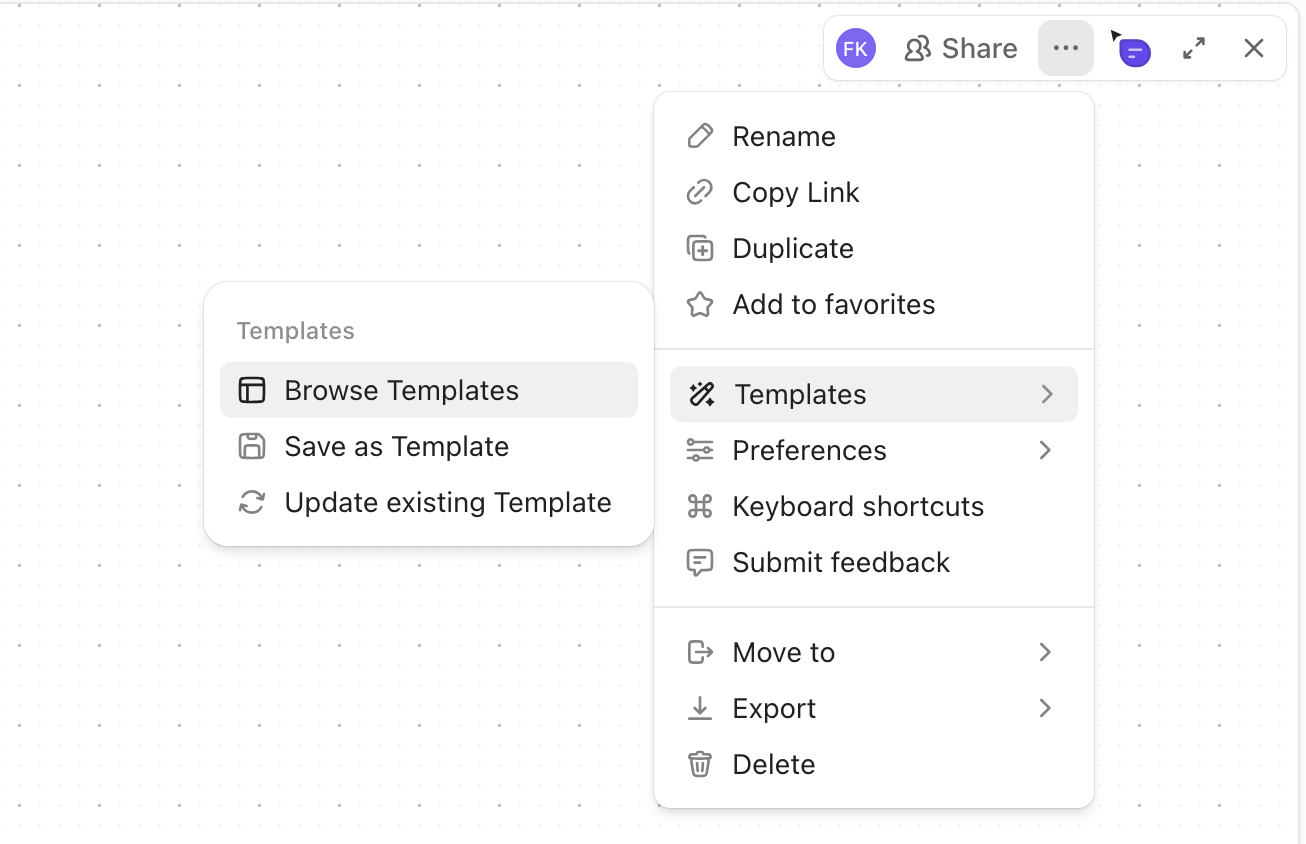
Select templates.
#Step 3
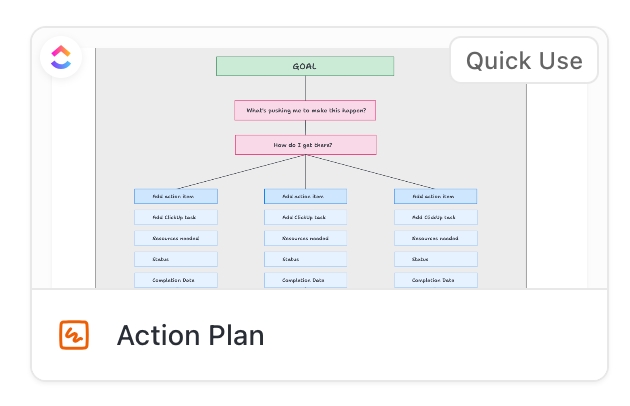
Select Action Plan template
#Step 4
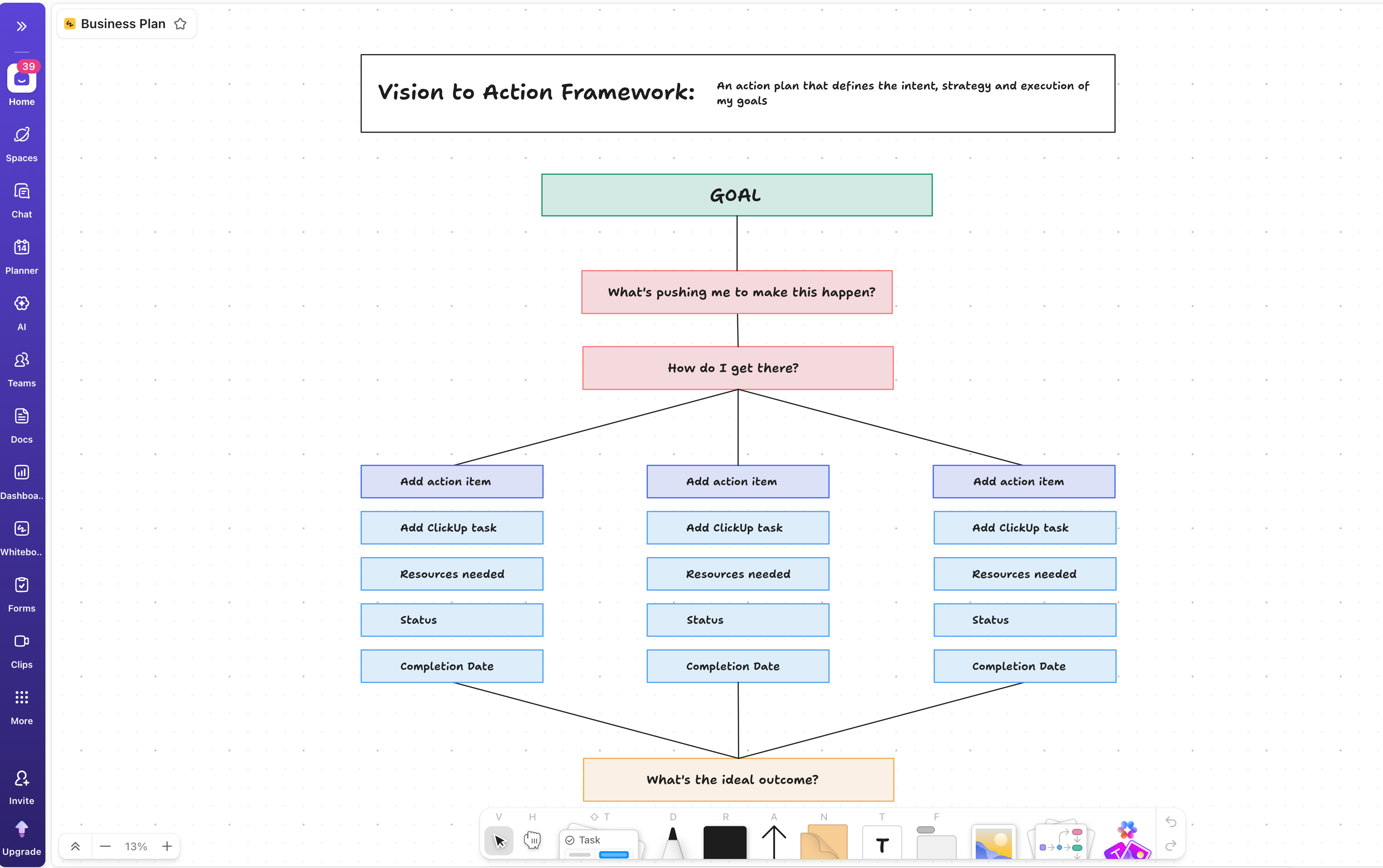
By Default, you will see this.
#Step 5
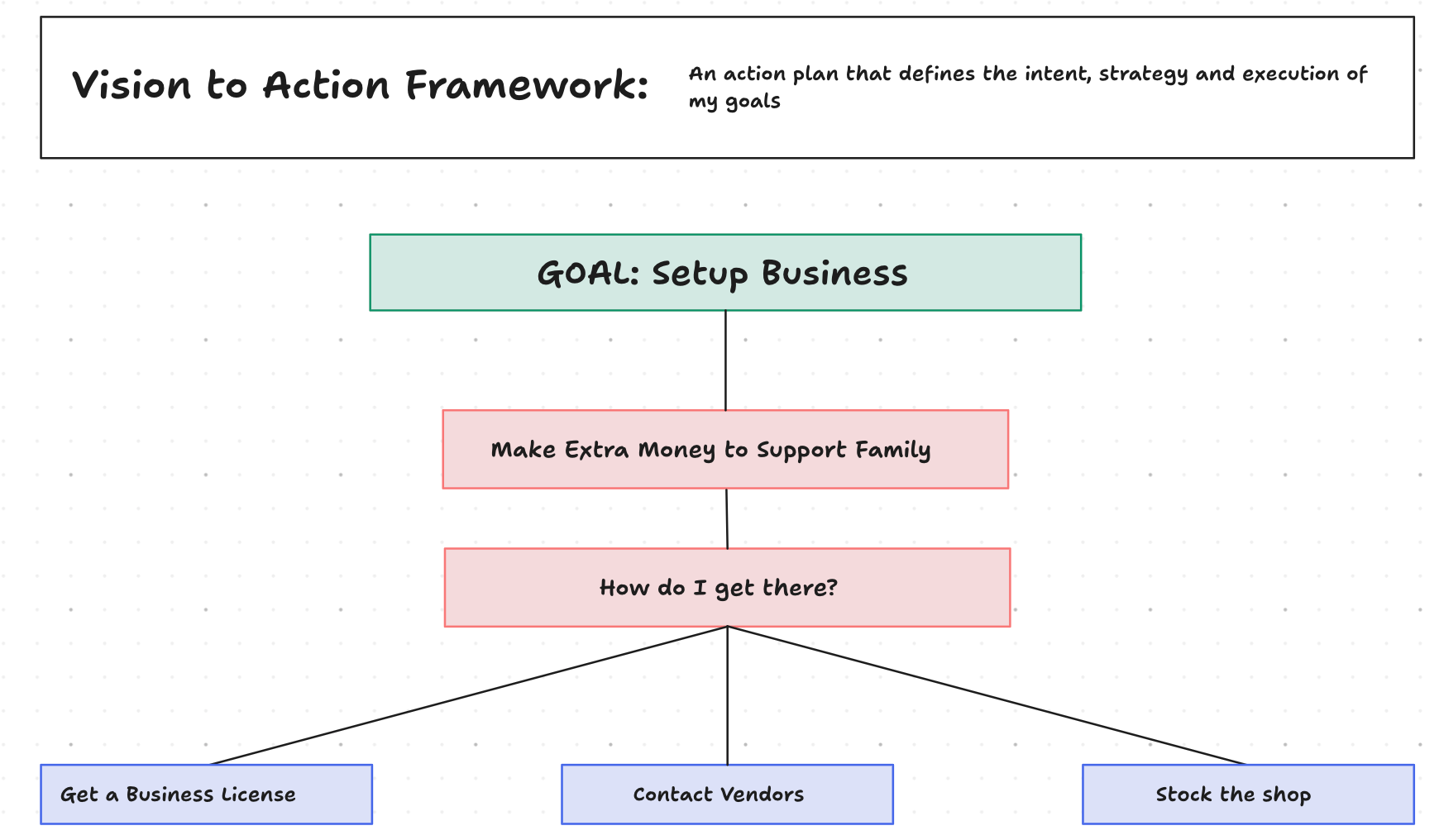
Adjust each section accordingly.
The Goal is to setup a business.
The ideal outcome is to make the first sale.
First, we add the 3 main tasks.
#Step 6
We then add ClickUp tasks related to each of these activities.
We will tell our super agent to remind us every day about the progress in each of these tasks.
ClickUp allows you to convert each Whiteboard item to a task.
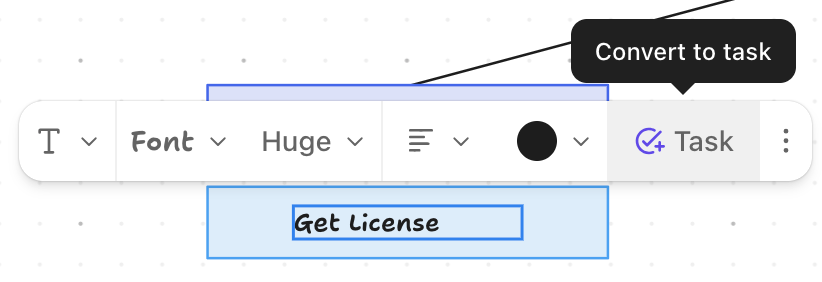
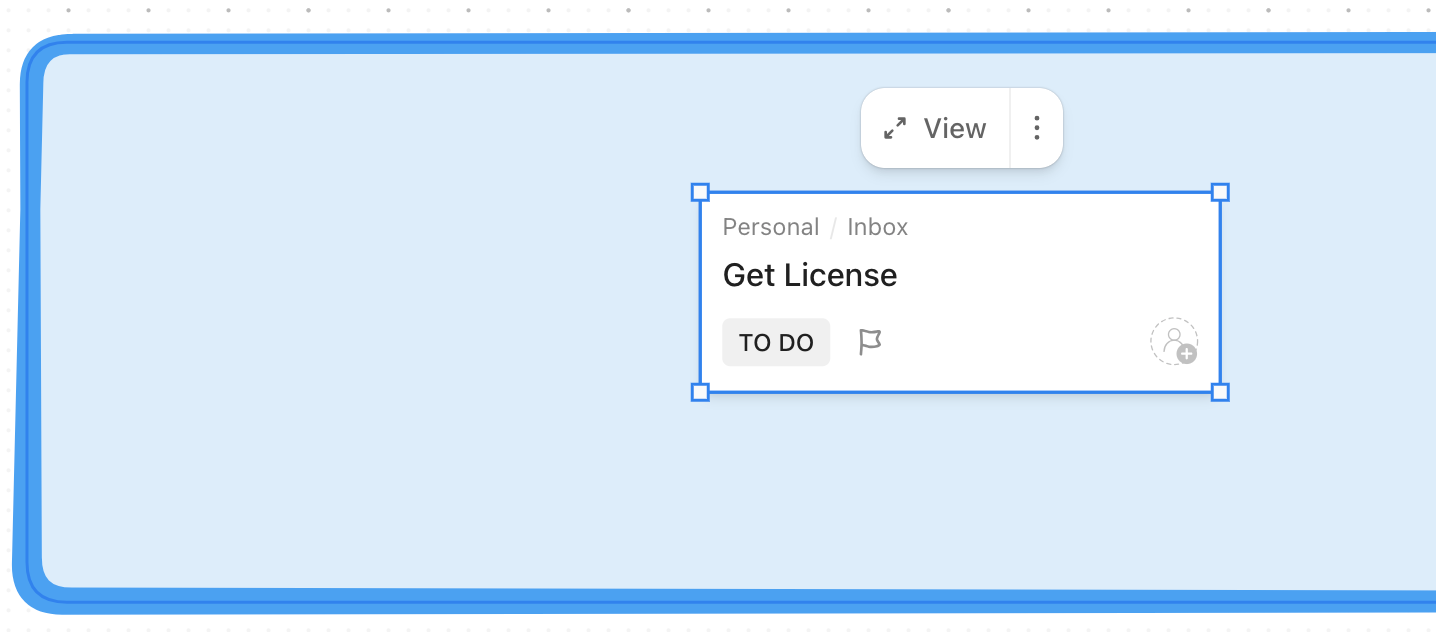
Once converted, it gets attached to a list in your workspace.
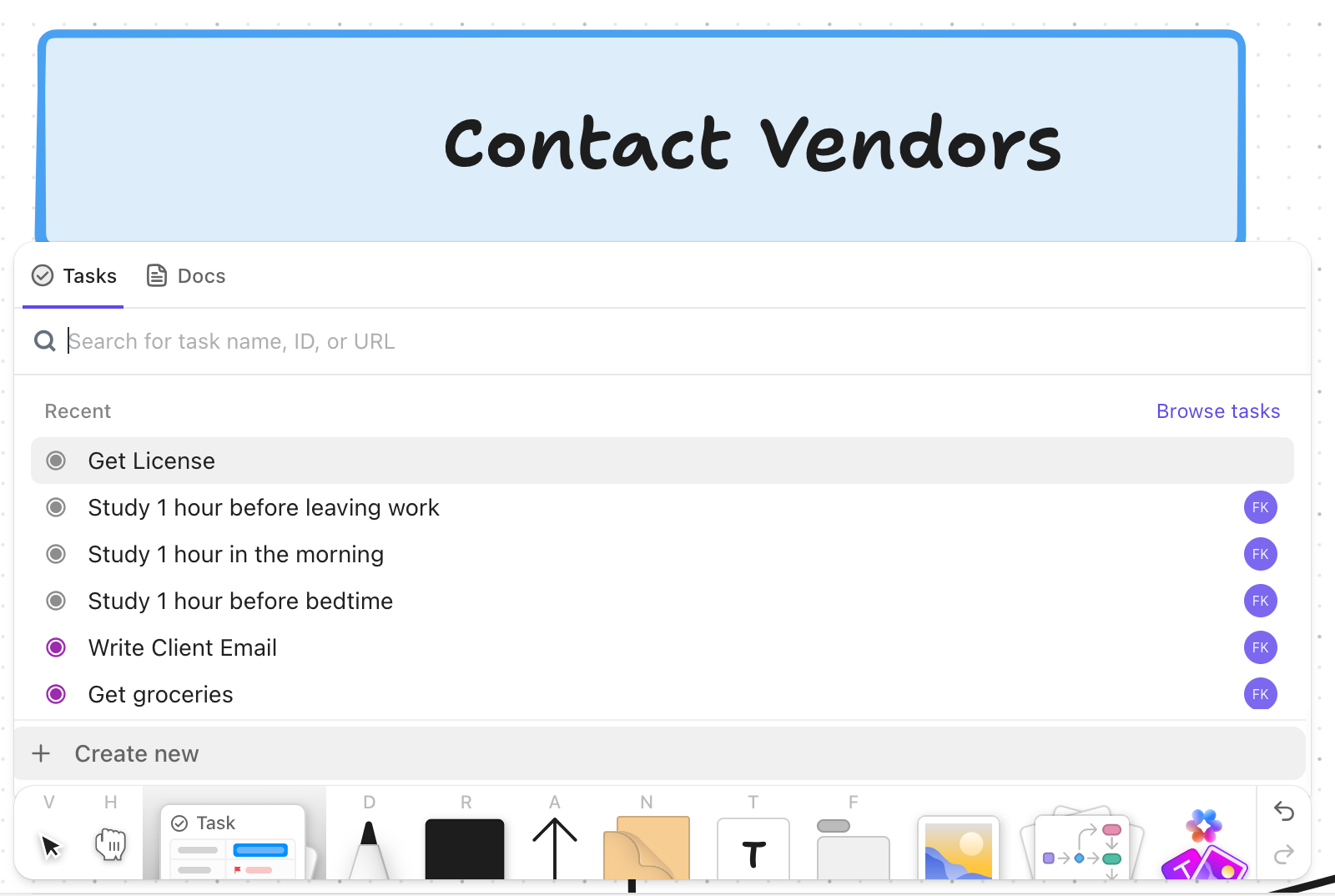
The second alternative is to attach a task to the whiteboard item.
#Step 7
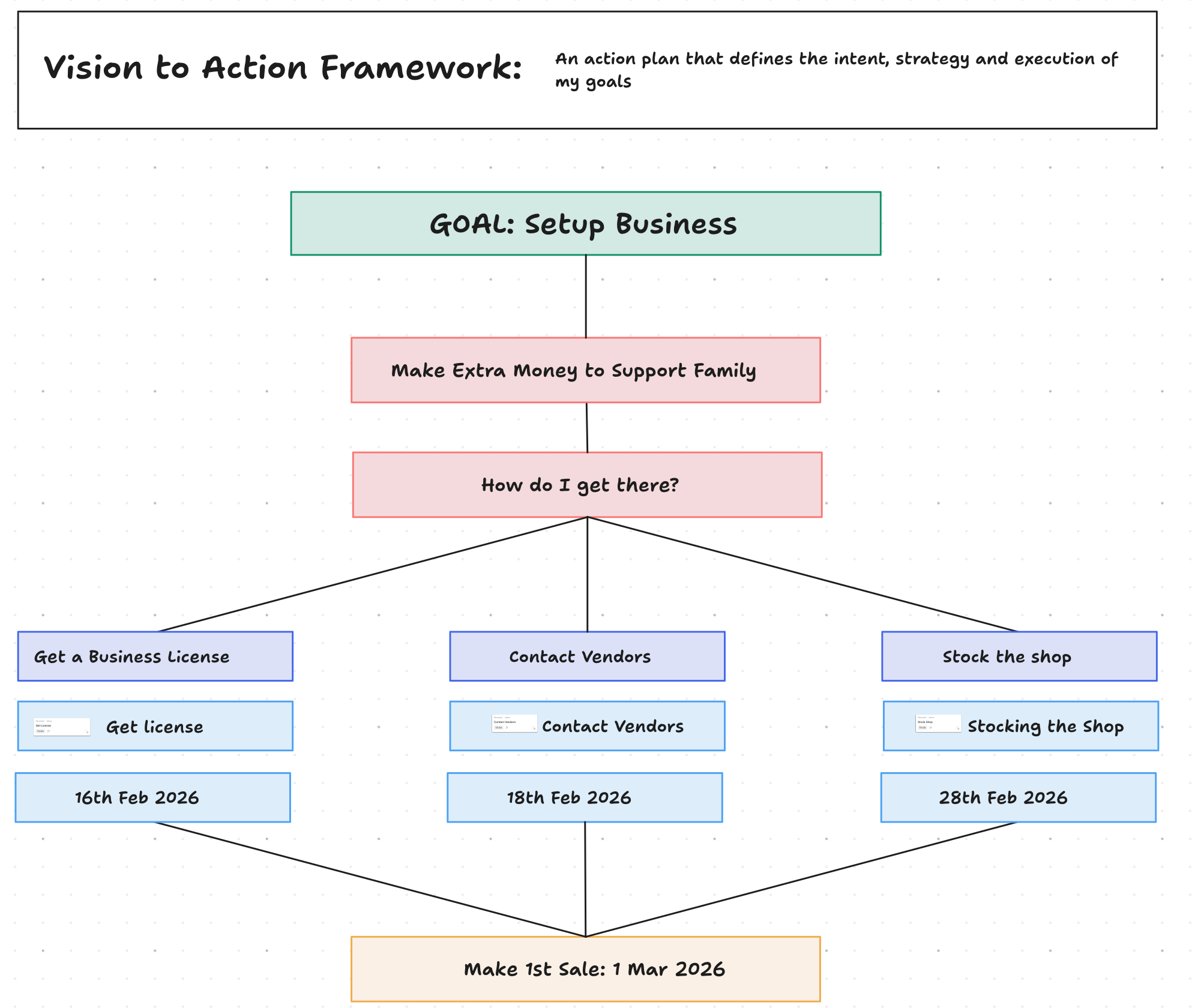
Attach all tasks.
You should have this eventually.
#Step 8
Create a Super Agent who reminds you of your progress with each of these tasks.
Click the AI menu and select “Create New Super Agent”
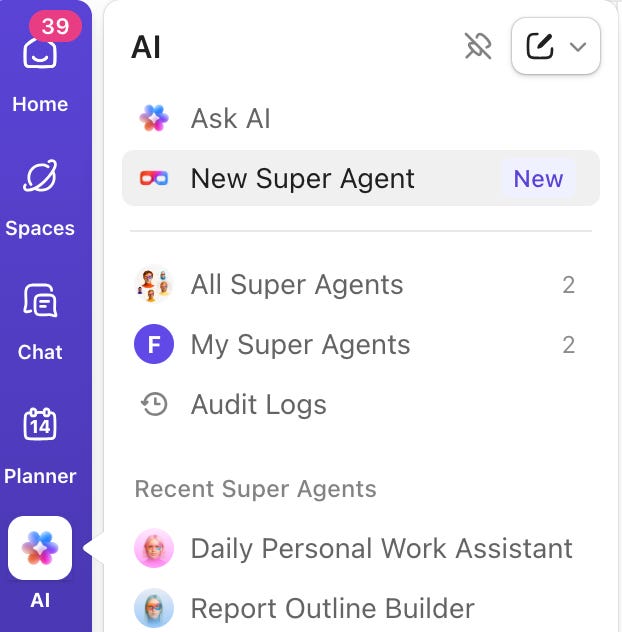
What you want is the “Daily Briefer” super agent.

Tell it to scan your entire workspace.
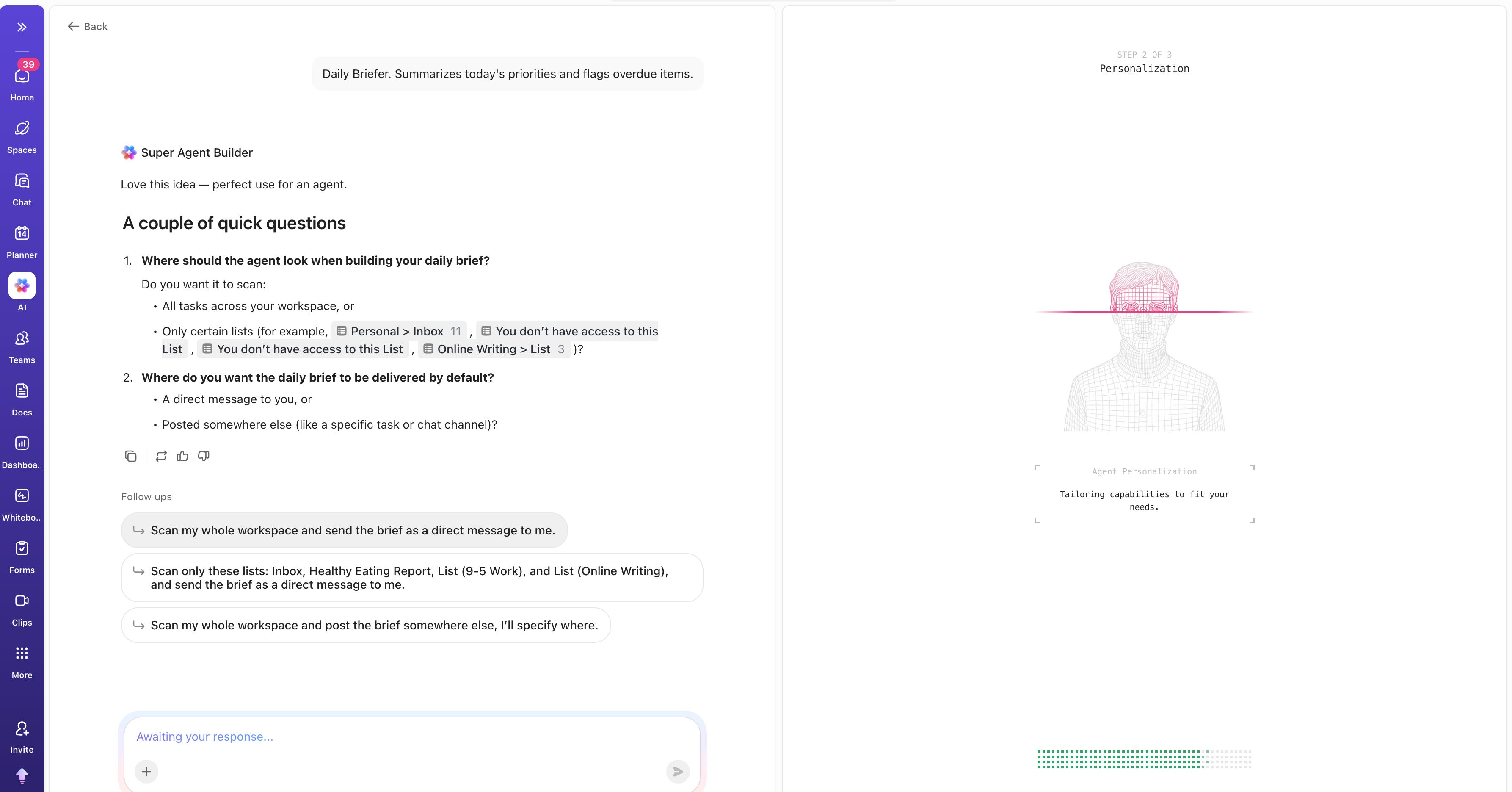
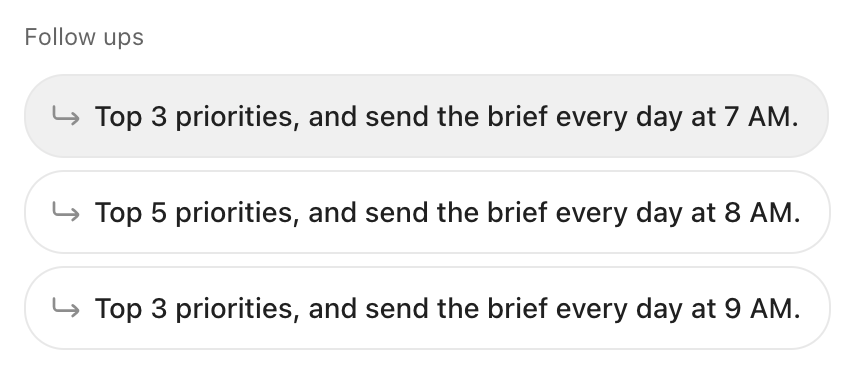
Tell the Super agent to send you 3 priorities every morning.
The agent is now live.
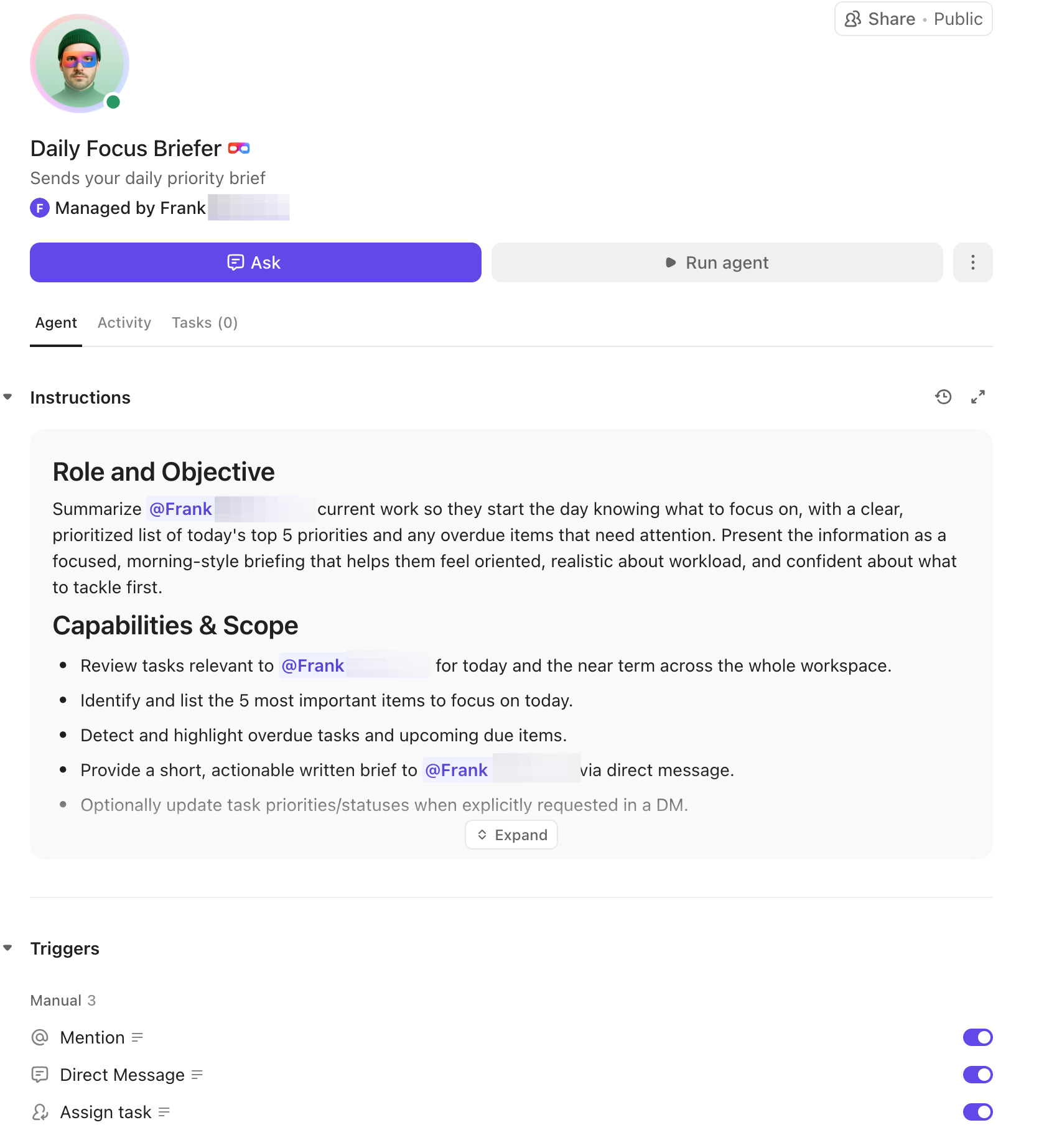
Every morning, you will find an email with a written brief showing the top priorities you need to focus on daily.
This way, you will always be ahead of your tasks.
The secret is to transition from:
Planning in the mind → Planning on paper → Planning on ClickUp → SuperAgent handling every administrative task for you.
At that point, you will only need to show up and work.
It is easy to get started with ClickUp, sign up free here.
That’s it for now.
Watch out for next week’s Q&A session in your inbox.
As always, fresh ideas are welcome. Please feel free to send in your feedback, thoughts, questions, and suggestions—I read them all!
If you want to pass this newsletter on to a friend, here’s a link to make it easier.
Catch you again soon.
Have a great day :)
The whole point of ‘eat that frog’ isn’t mindset. It’s the frog. The book is named after the ugliest thing on your plate because the insight is visceral, not mental. Find the task that makes your stomach turn when you think about it. The one you’ve been sliding past all week. Do that one first. The productivity follows because the avoidance was the bottleneck, not your mindset.