
Weekend Q&A Sessions: Operational Friction
Help I run too many applications simultaneously


Your productivity starts with inbox sanity. Try SaneBox for 14 30 days free here.
Welcome to this week’s Q&A session.
We are excited to have you in our community.
On the weekends, we dedicate a post to help you overcome your personal productivity problems.
Here’s how it works
Simply describe what’s affecting your productivity in this form.
(No emails or personal details asked).
We keep it anonymous so that the focus is only the productivity problem.
Every weekend, we select one response and dedicate a post on how to solve the problem all free.
The Productivity Problem
This weekend we look at operational friction where managing different tasks across multiple apps hinders a subscriber’s progress in what really matters.
A subscriber wrote in:
I run a business that involves both running therapy sessions + doing consulting work in organisations. (I'm a psychologist). I use multiple platforms - a PMS called Zanda for my clinical clients, Microsoft Outlook for email and Teams for consulting clients, and Google calendar for my personal life AND I regularly have to sync my outlook to this google calendar. I have 2 different payment systems (Xero for consulting, Zanda for clinical clients) and also a separate room booking system when I am booking in person sessions in rooms that I hire sporadically. I use NovoNote to record sessions using AI, and then have to copy and paste it across to my Zanda system!
I feel like I'm darting back and forth between systems all the time, and constantly falling behind on my admin. I have multiple tabs open and systems running and its very stressful. Not even sure how to streamline this. I tend to just get really overwhelmed and am not overly productive... managing all of this takes a lot of time that I should be able to dedicate to clients and business development. HELP would be appreciated!
Looking closely at this problem, we see that the main problem is operational friction leading to fragmentation and context switching as the subscriber essentially runs two businesses on different platforms.
Patient care
Consultation
With the patient care business, the subscriber books and handles client problems on Zanda while consulting is done in Xero, Microsoft Teams and Outlook.
Each time the subscriber switches between Xero, Zanda, Teams, and Outlook, they pay a cognitive tax and eventually, have little energy left to do the actual work that matters - helping their clients and developing the business.
Cal Newport in Deep Work, reveals that when we spend time switching between network tools such as email and social media, what we end up doing is shallow work that makes us feel busy while producing low-value work.
"People experiencing attention residue after switching tasks are likely to demonstrate poor performance on [the next] task, and the more intense the residue, the worse the performance."
How We Could Solve This
The easiest way to solve operational friction is using platform-agnostic tools (multi-platform) that make it easy to sync functions from different apps.
The easiest one you could use is ClickUp as you can start using it free here.
#Step 1
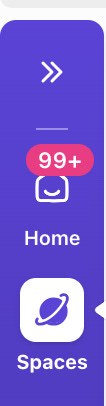
Once you sign up to ClickUp, start by creating a workspace (where your work lives) by clicking this icon.
#Step 2
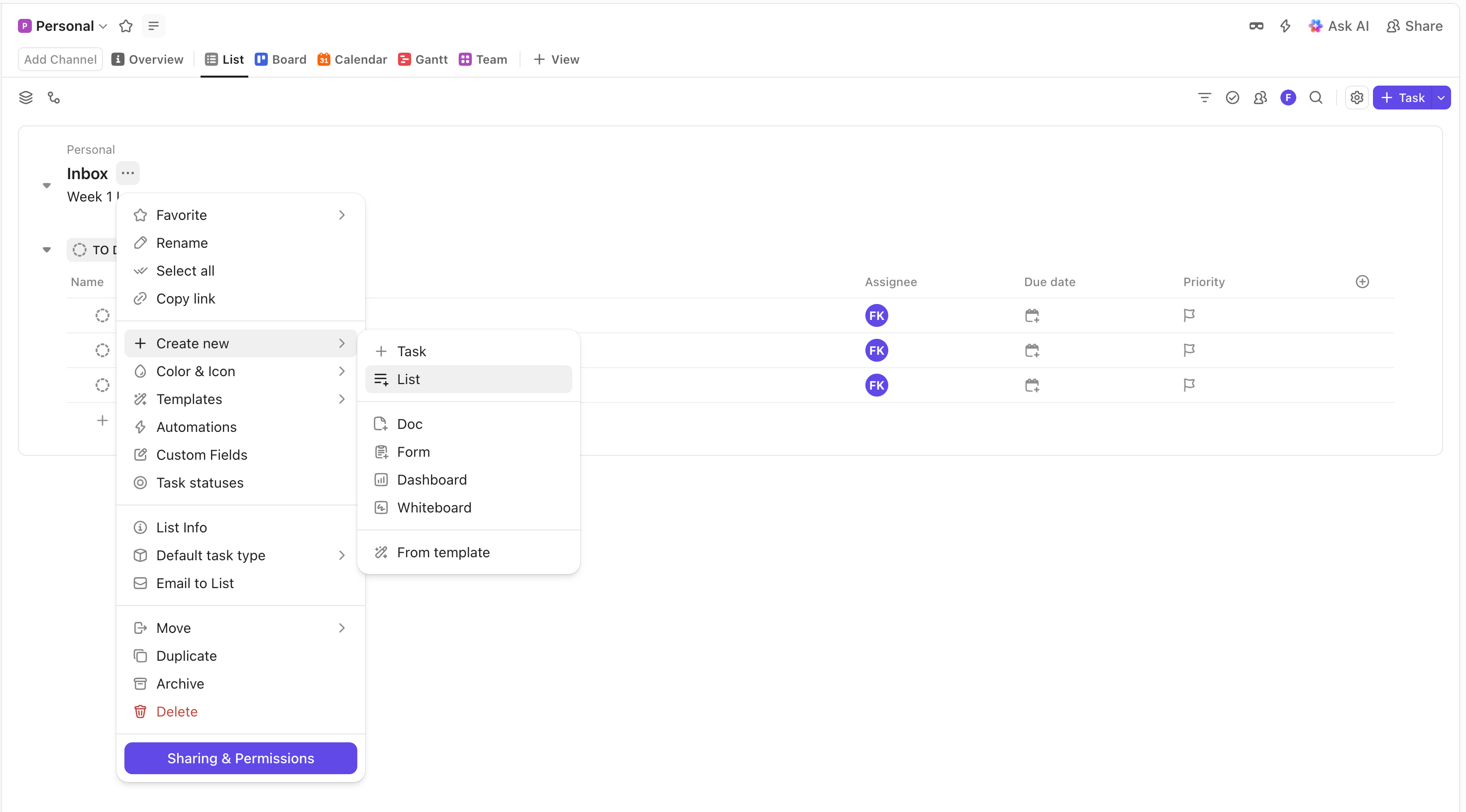
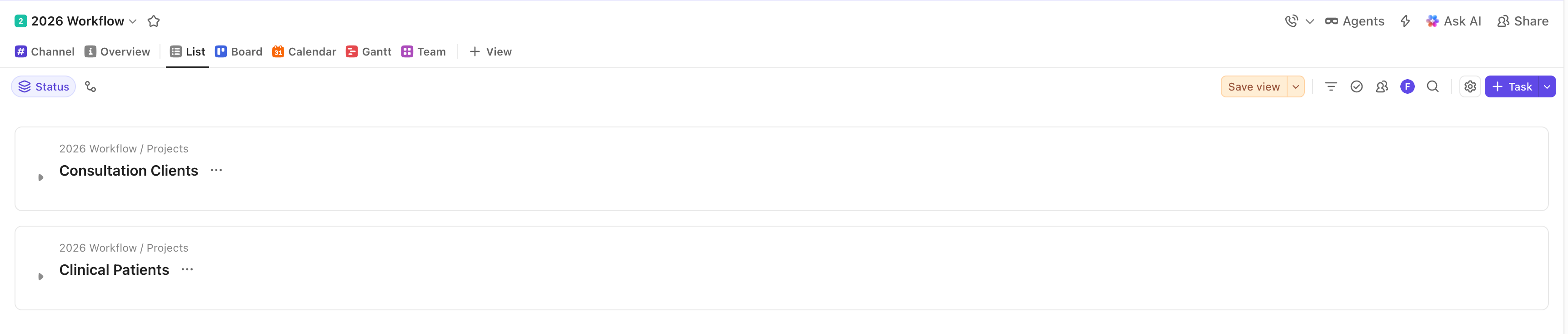
Create two new lists - Consultation Clients and Clinical Patients.
They will contain lists of tasks related to consulting work and clinical patients.
You will have these lists
#Step 3
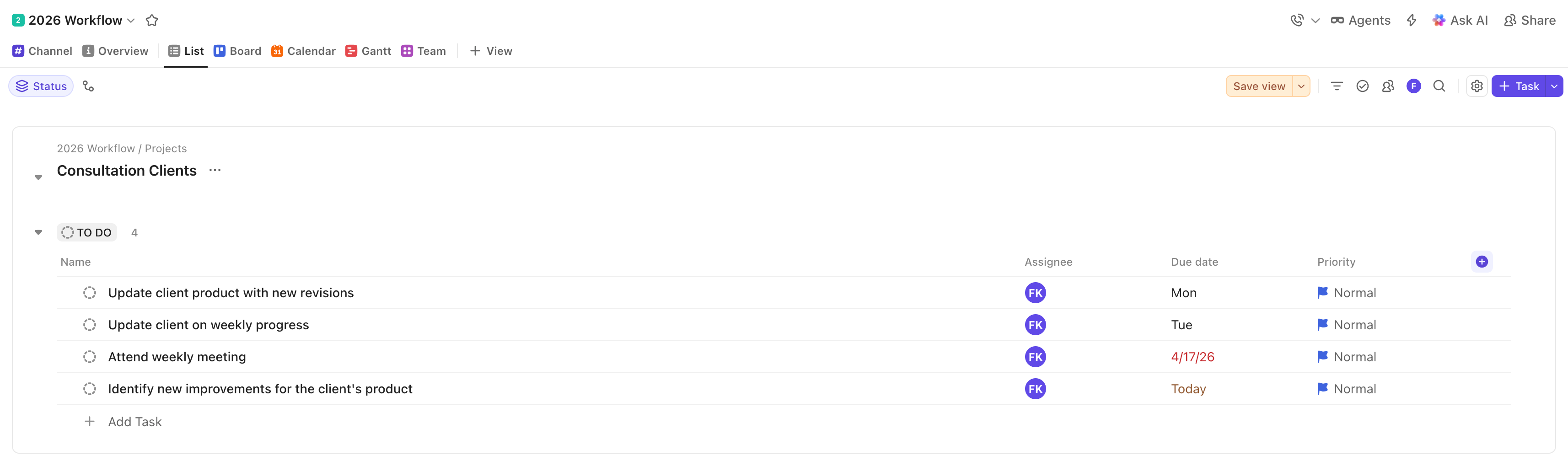
In each of the lists, add related activities that you handle on a daily basis.
We assume meetings, updating products, and regular contact with the client.
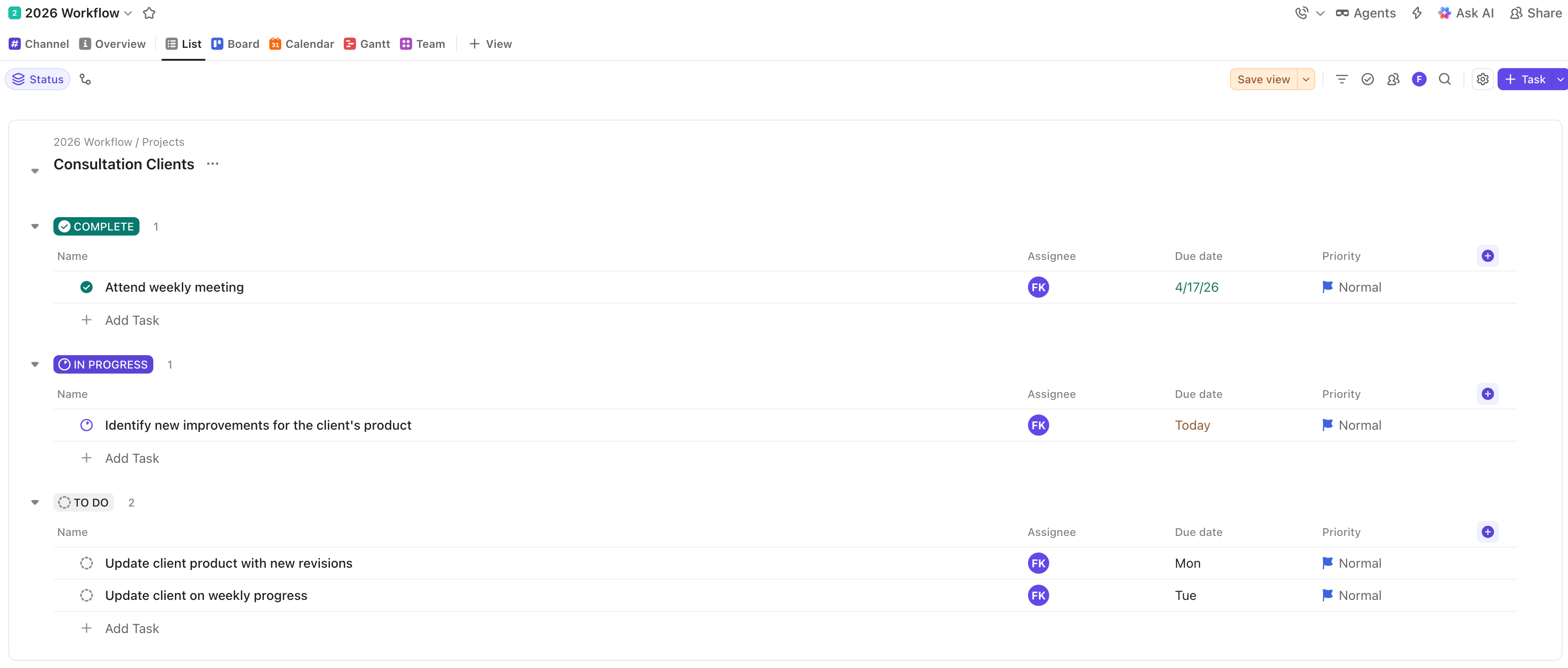
You would have these tasks for consultation clients as an example.
#Step 4
Allocate each activity to its respective status - To-Do, In progress, Done.
You would also have this for the consultation clients.
#Step 5
In your Calendar view (third) sync your Google (personal) and Outlook calendars.
This way, you can see all meetings from Outlook and Google you scheduled in Zanda.
Zanda allows you to sync to Google Calendar. This way, you can view everything in ClickUp calendar.
Outlook → ClickUp
Zanda → Google Calendar → ClickUp
Any change you make in the ClickUp calendar is reflected in each of the other apps.
You only need to have one view without switching contexts.
The calendar view appears as follows:
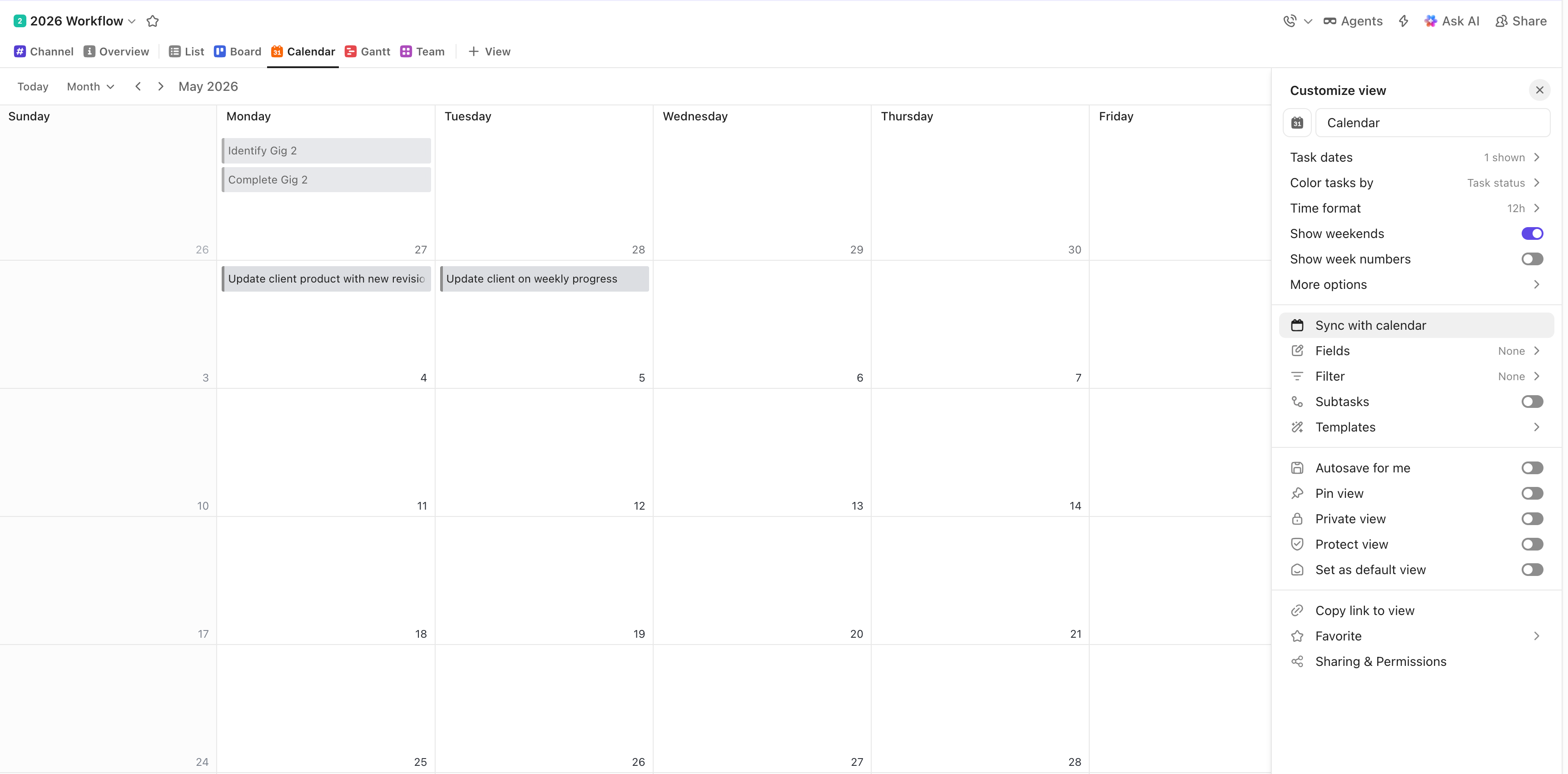
When you click “sync with calendar”, you also access these options.
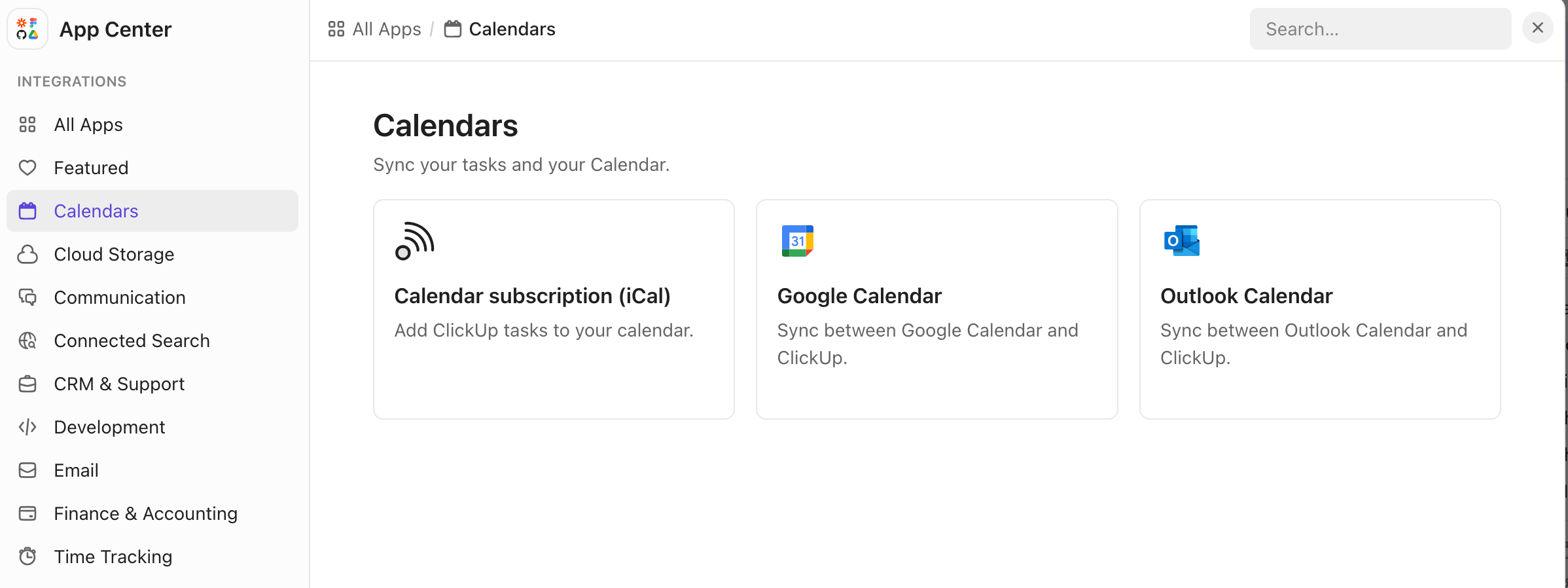
The unified calendar view ensures you can see all scheduled meetings for clients and patients in one view, eliminating context switching.
#Step 6
Make the access to meetings even more seamless in ClickUp.
Click the apps menu.
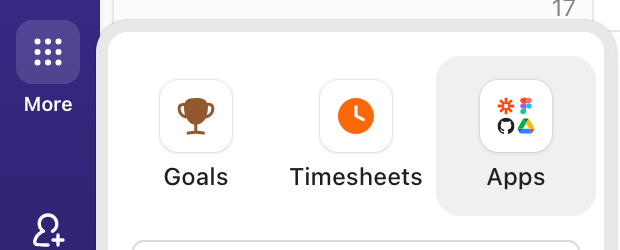
Sync Microsoft Teams for meetings as well.
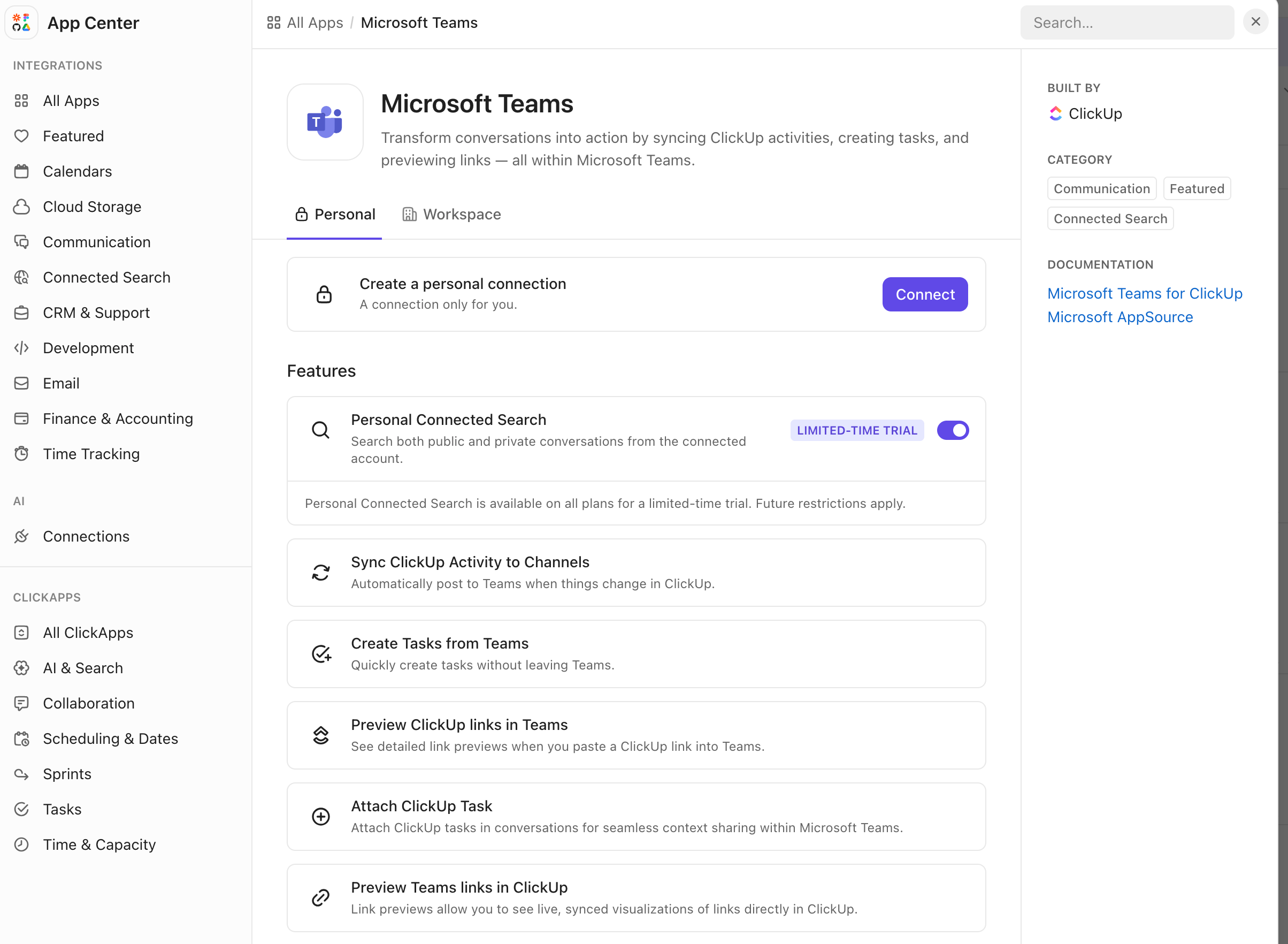
The beauty is that you can create ClickUp tasks from Teams for each of the clients.
#Step 7
Use ClickUp AI note taker to generate a summary of all your meetings without leaving the app.
Once you schedule a meeting in ClickUp, activate AI notetaker and a transcript will be generated.
This way, you will reduce your apps to only 2.
ClickUp to handle clients, patients, and recording any meetings.
Xero for payments
As you reduce the context switching, you will have more energy to work on your business and help more clients.
It is easy to get started with ClickUp, sign up free here.
Coming Up Next Week: Dealing with high-stress environments
We look at a case study where a subscriber’s creativity is affected by the pressure to succeed while learning new systems, coupled with daily life demands.
That’s it for now.
Watch out for next week’s Q&A session in your inbox.
As always, fresh ideas are welcome. Please feel free to send in your feedback, thoughts, questions, and suggestions—I read them all!
If you want to pass this newsletter on to a friend, here’s a link to make it easier.
Catch you again soon.
Have a great day :)